 Mock Location
What mock location is on Android
“Mock location”, “fake location”, “select mock location app” — these all refer to the same Android setting that people come across in developer mode without understanding what it does. The short answer: it designates the app that the system allows to supply coordinates instead of the real ones. Below is what this means in practice, where the feature came from and which expectations about it do not hold up.
The definition in one paragraph
A mock location is a set of coordinates the phone receives not from satellites and towers but from an app you designated in developer options. Android calls such an app a test location source, and while it runs, the system gives its point to everyone who asks “where is the user”. The word “mock” means fake or imitation — the same as mock objects in programming.
Where the feature came from
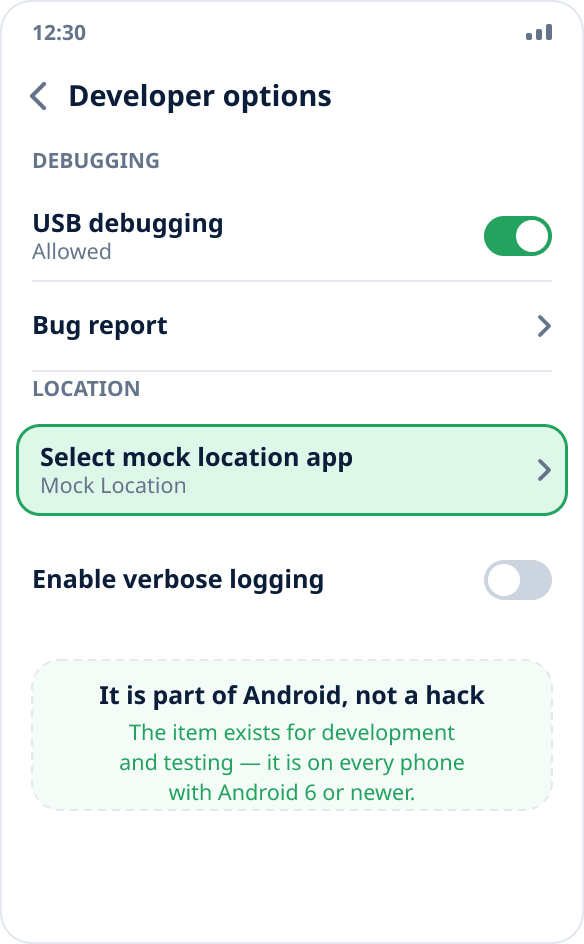
It was not added to fool services. An app developer needs to check what happens to the map in another city, how delivery behaves at the edge of a zone and what the weather shows in another time zone — going on site for this is impossible. So Android has a built-in way to supply coordinates, and it sits in “Developer options” next to USB debugging.
The practical consequence: the feature exists in every Android since version 6, it does not require root and is not considered hacking the system. All you need is to turn on developer mode and select the app; the procedure is in a separate guide.
Who receives the spoofed coordinates
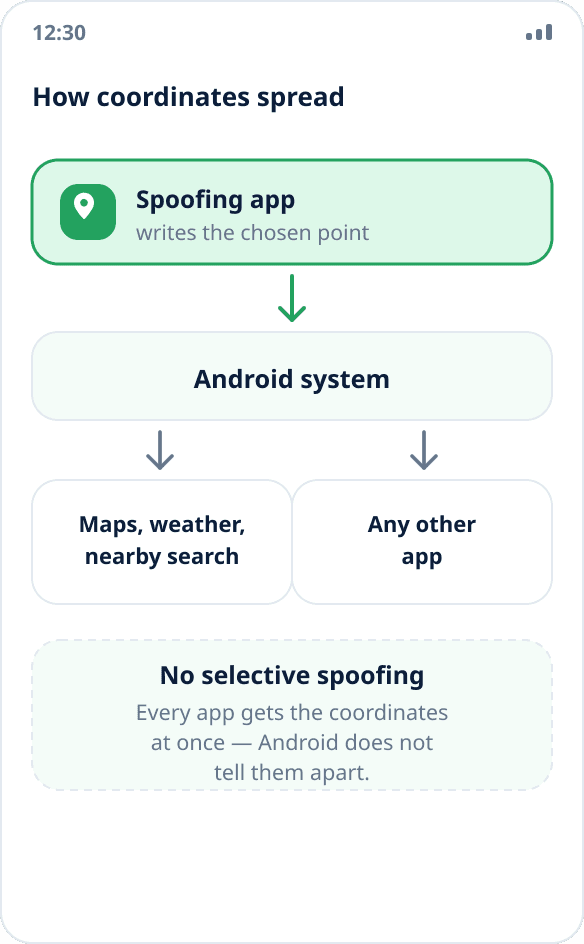
All apps at once. Android does not distinguish between them: it gives the same point to the map, the weather, nearby search and any other app that requested the location in the usual way. You cannot choose whom to fool and whom to give the real coordinates to — the system simply has no such capability.
This also answers a frequent question, “what if I have several spoofing apps”: only one can be active, the system allows a single test location source.
What mock location does not do
It does not hide the fact of spoofing. Android adds a “from a mock source” flag to every coordinate from a test provider, and any app may read it. Banking apps, delivery confirmation, corporate time tracking and games with anti-cheat do exactly that — spoofing is visible to them (a detailed explanation), and it cannot be hidden from them.
It does not change your IP address. A service that determines your region by the network will not notice spoofed coordinates; you need a VPN there — the difference is explained in the article location spoofing or VPN.
It does not change your account country, phone number, system language or time zone. These are separate settings, and services often determine your location from them more precisely than from coordinates.
How it looks on different skins
The item has different names but is always in the developer section: in English firmware it is “Select mock location app”. In older Android versions (before 6.0) there was a simple “Allow mock locations” switch instead of choosing an app — if you came across such instructions, they are outdated.
The “Developer options” section itself is hidden by default and appears after seven taps on the build number. Where it is on a particular skin is covered separately: Xiaomi, Samsung, Huawei, HONOR, realme, OPPO and vivo, Tecno and Infinix.
Why a regular user would need it
Three scenarios in which spoofing works honestly and misleads no one.
Seeing what a service looks like in another city: maps, schedules, local listings, weather. Not sharing your exact address with an app that demands your location without a real need — spoofing gives a third option between “give the coordinates of my apartment” and “do not use the app”. And testing: repeatable runs of location-based scenarios without going on site (a walkthrough for QA).
We do not describe scenarios in which spoofing breaks agreements with a service — checking in at work, confirming a delivery, bypassing regional restrictions in games: they do not work because of the mock source flag and lead to account bans.
How to turn it on and off
Turning it on takes a couple of minutes: developer mode, selecting the app, the location permission, a point on the map — step by step. It is best to make sure spoofing actually works in another app: five checks.
It is turned off the same way: stop spoofing in the app, and if you need to remove the ability altogether, set “Select mock location app” back to “None”. More in the answer how to turn off mock location.